CKS Secure supply chain - ImagePolicyWebhook
Securing the Kubernetes supply chain using image digests, OPA Gatekeeper, and the ImagePolicyWebhook admission controller.

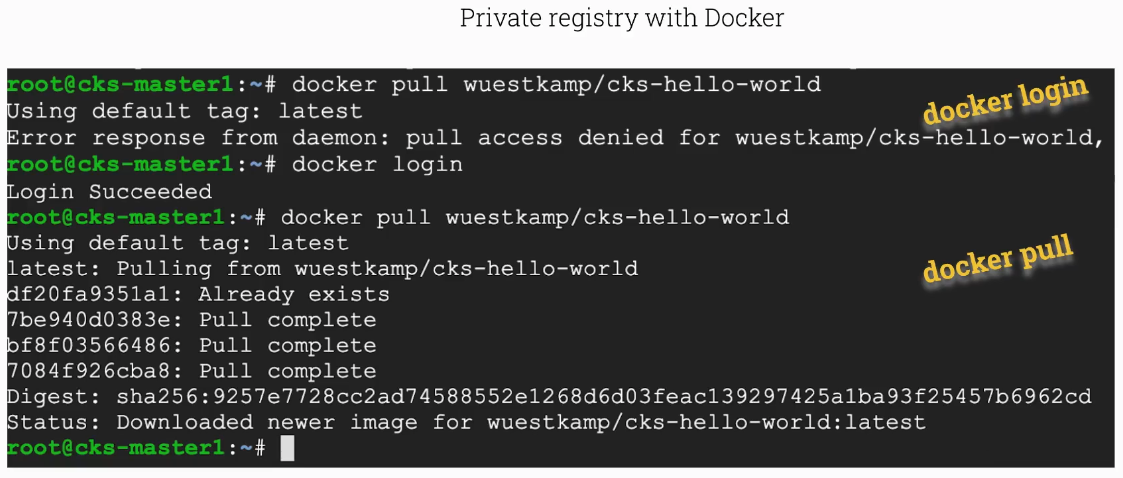
If you want to pull from a docker registry you need to docker login first.
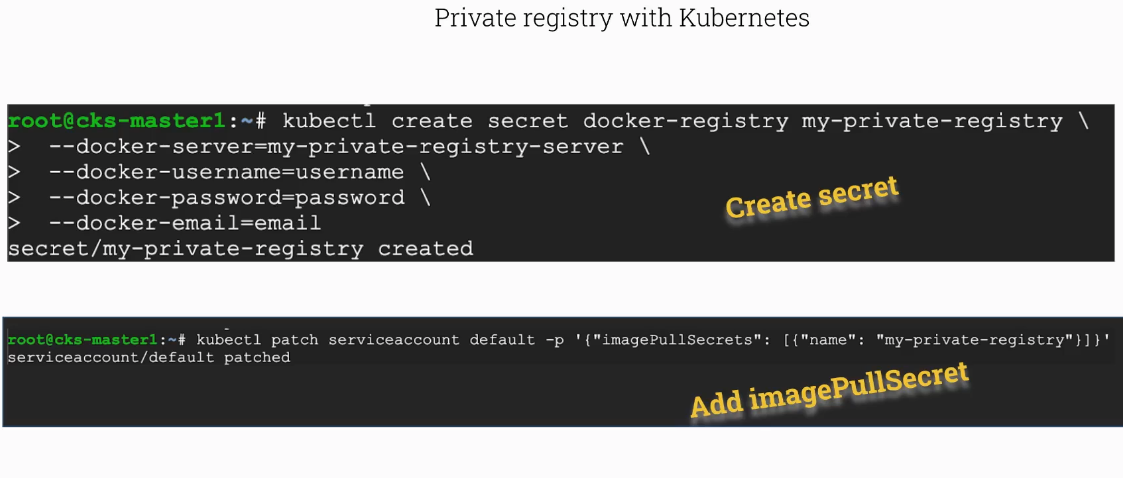
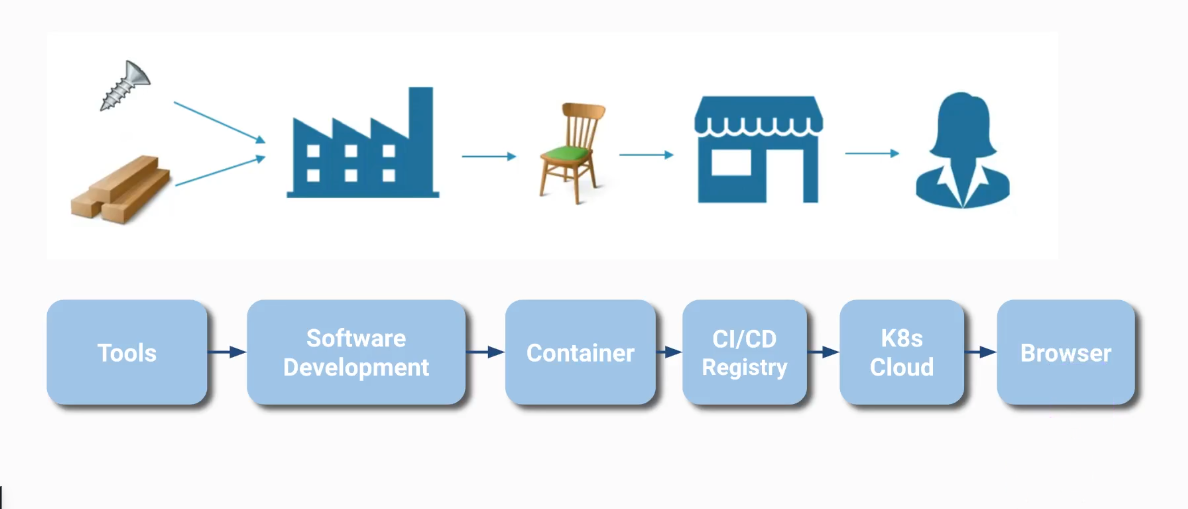
Image Digest
List all container image references for all containers running in the cluster. This helps you audit which registries and image tags are in use.
1
2
3
4
5
6
7
8
9
10
root@scw-k8s:~# k get pods -A -ojsonpath='{range .items[*]}{.spec.containers[*].image}{"\n"}{end}'
nginx
k8s.gcr.io/coredns/coredns:v1.8.6
k8s.gcr.io/coredns/coredns:v1.8.6
k8s.gcr.io/etcd:3.5.1-0
k8s.gcr.io/kube-apiserver:v1.23.6
k8s.gcr.io/kube-controller-manager:v1.23.6
k8s.gcr.io/kube-proxy:v1.23.6
k8s.gcr.io/kube-scheduler:v1.23.6
docker.io/weaveworks/weave-kube:2.8.1 docker.io/weaveworks/weave-npc:2.8.1
More precisely, we are interested in the digest, which references an exact image version (which is much better than using tags since tags are mutable).
1
2
3
4
5
6
7
8
9
10
11
root@scw-k8s:~# k get pods -A -ojsonpath='{range .items[*]}{.status.containerStatuses[*].imageID}{"\n"}{end}'

k8s.gcr.io/coredns/coredns@sha256:5b6ec0d6de9baaf3e92d0f66cd96a25b9edbce8716f5f15dcd1a616b3abd590e
k8s.gcr.io/coredns/coredns@sha256:5b6ec0d6de9baaf3e92d0f66cd96a25b9edbce8716f5f15dcd1a616b3abd590e
k8s.gcr.io/etcd@sha256:64b9ea357325d5db9f8a723dcf503b5a449177b17ac87d69481e126bb724c263
k8s.gcr.io/kube-apiserver@sha256:0cd8c0bed8d89d914ee5df41e8a40112fb0a28804429c7964296abedc94da9f1
k8s.gcr.io/kube-controller-manager@sha256:df94796b78d2285ffe6b231c2b39d25034dde8814de2f75d953a827e77fe6adf
k8s.gcr.io/kube-proxy@sha256:cc007fb495f362f18c74e6f5552060c6785ca2b802a5067251de55c7cc880741
k8s.gcr.io/kube-scheduler@sha256:02b4e994459efa49c3e2392733e269893e23d4ac46e92e94107652963caae78b
docker.io/weaveworks/weave-kube@sha256:d797338e7beb17222e10757b71400d8471bdbd9be13b5da38ce2ebf597fb4e63 docker.io/weaveworks/weave-npc@sha256:38d3e30a97a2260558f8deb0fc4c079442f7347f27c86660dbfc8ca91674f14c
r
Secure container registries
Install OPA Gatekeeper: kubectl create -f https://raw.githubusercontent.com/killer-sh/cks-course-environment/master/course-content/opa/gatekeeper.yaml
Create an OPA ConstraintTemplate to restrict allowed container registries. The Rego policy below rejects any image that does not start with an approved registry prefix.
1
2
3
4
5
6
7
8
9
10
11
12
13
14
15
16
17
18
19
apiVersion: templates.gatekeeper.sh/v1beta1
kind: ConstraintTemplate
metadata:
  name: k8strustedimages
spec:
  crd:
    spec:
      names:
        kind: K8sTrustedImages
  targets:
    - target: admission.k8s.gatekeeper.sh
      rego: |
        package k8strustedimages
        violation[{"msg": msg}] {
          image := input.review.object.spec.containers[_].image
          not startswith(image, "docker.io/")
          not startswith(image, "k8s.gcr.io/")
          msg := "not trusted image!"
        }
Specify for what kind of resources the K8sTrustedImages OPA constraint template will be applied (e.g. pods).
1
2
3
4
5
6
7
8
9
apiVersion: constraints.gatekeeper.sh/v1beta1
kind: K8sTrustedImages
metadata:
  name: pod-trusted-images
spec:
  match:
    kinds:
      - apiGroups: [""]
        kinds: ["Pod"]
And now test it! Running a pod with just nginx (without the docker.io/ prefix) will be rejected, while using the fully qualified docker.io/nginx name passes the policy check.
1
2
3
4
5
6
7
8
# will not work :)
controlplane $ k run podx --image=nginx
Error from server ([pod-trusted-images] not trusted image!): admission webhook "validation.gatekeeper.sh" denied the request: [pod-trusted-images] not trusted image!


# how about this
controlplane $ k run podx --image=docker.io/nginx
pod/podx created
Deploy webhook service (an external service) which will validate image policy, known as ImagePolicyWebhook
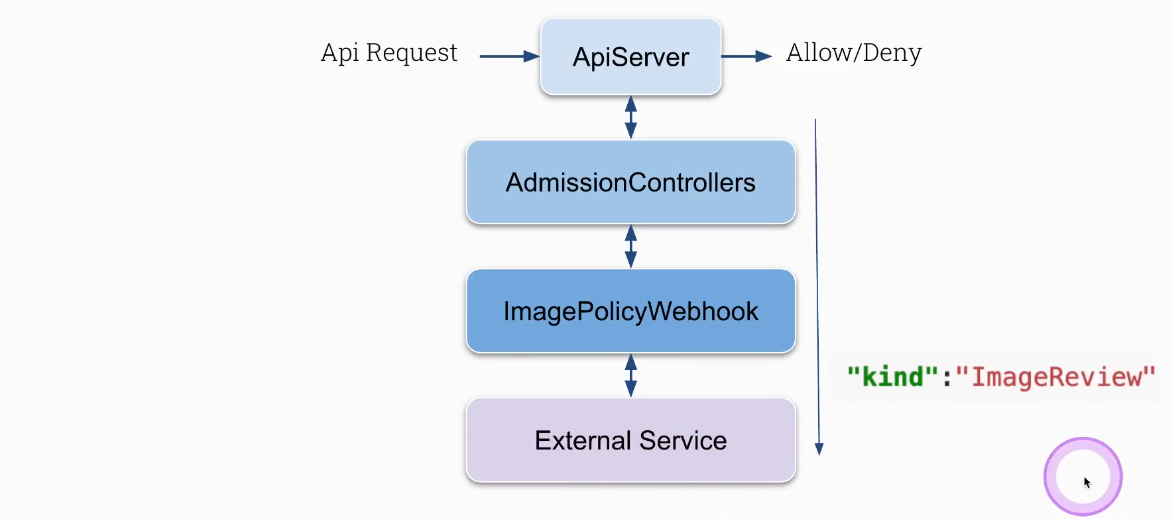
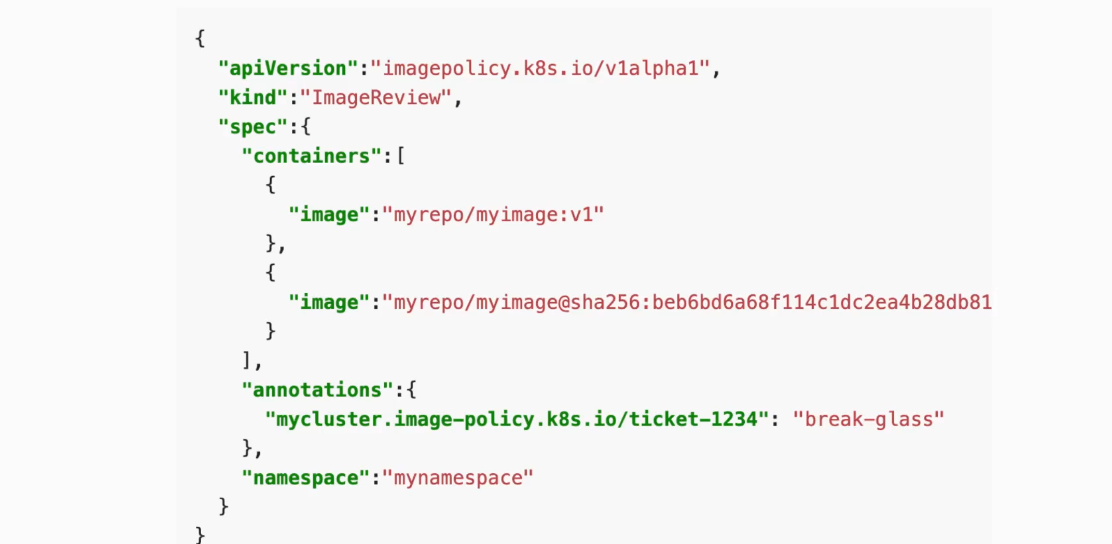
Configure kube-apiserver server first (will not work until you do some further configuration)
1
2
3
4
5
6
7
8
9
10
11
12
13
14
15
16
17
18
vim /etc/kubernetes/manifests/kube-apiserver
...
    - --enable-admission-plugins=NodeRestriction,ImagePolicyWebhook
    - --admission-control-config-file=/etc/kubernetes/admission/admission_config.yaml
...
    - mountPath: /etc/kubernetes/admission
      name: k8s-admission
      readOnly: true

...
  - hostPath:
      path: /etc/kubernetes/admission
      type: DirectoryOrCreate
    name: k8s-admission
...

:wq
Configure admission_config.yaml the one which is specified in kube-apiserver under --admission-control-config-file
1
2
3
4
5
6
7
8
9
10
11
12
cat admission_config.yaml
apiVersion: apiserver.config.k8s.io/v1
kind: AdmissionConfiguration
plugins:
  - name: ImagePolicyWebhook
    configuration:
      imagePolicy:
        kubeConfigFile: /etc/kubernetes/admission/kubeconf
        allowTTL: 50
        denyTTL: 50
        retryBackoff: 500
        defaultAllow: false
Configure /etc/kubernetes/admission/kubeconf everything what is inside
1
2
3
4
5
6
7
8
9
10
11
12
13
14
15
16
17
18
19
20
21
22
23
24
25
26
cat /etc/kubernetes/admission/kubeconf
apiVersion: v1
kind: Config

# clusters refers to the remote service.
clusters:
- cluster:
    certificate-authority: /etc/kubernetes/admission/external-cert.pem  # CA for verifying the remote service.
    server: https://external-service:1234/check-image                   # URL of remote service to query. Must use 'https'.
  name: image-checker

contexts:
- context:
    cluster: image-checker
    user: api-server
  name: image-checker
current-context: image-checker
preferences: {}

# users refers to the API server's webhook configuration.
users:
- name: api-server
  user:
    client-certificate: /etc/kubernetes/admission/apiserver-client-cert.pem     # cert for the webhook admission controller to use
    client-key:  /etc/kubernetes/admission/apiserver-client-key.pem             # key matching the cert
External service deployment
1
2
3
4
5
6
7
8
9
10
11
12
13
14
15
16
17
18
19
20
21
22
23
24
25
26
27
28
29
30
31
32
33
34
35
36
37
38
39
40
41
42
43
44
45
46
47
48
root@controlplane:~# cat image-policy-webhook.yaml
apiVersion: v1
kind: Service
metadata:
  labels:
    app: image-bouncer-webhook
  name: image-bouncer-webhook
spec:
  type: NodePort
  ports:
    - name: https
      port: 443
      targetPort: 1323
      protocol: "TCP"
      nodePort: 30080
  selector:
    app: image-bouncer-webhook
---
apiVersion: apps/v1
kind: Deployment
metadata:
  name: image-bouncer-webhook
spec:
  selector:
    matchLabels:
      app: image-bouncer-webhook
  template:
    metadata:
      labels:
        app: image-bouncer-webhook
    spec:
      containers:
        - name: image-bouncer-webhook
          imagePullPolicy: Always
          image: "kainlite/kube-image-bouncer:latest"
          args:
            - "--cert=/etc/admission-controller/tls/tls.crt"
            - "--key=/etc/admission-controller/tls/tls.key"
            - "--debug"
            - "--registry-whitelist=docker.io,k8s.gcr.io"
          volumeMounts:
            - name: tls
              mountPath: /etc/admission-controller/tls
      volumes:
        - name: tls
          secret:
            secretName: tls-image-bouncer-webhook
Test ImagePolicyWebhook. The following command attempts to create a pod, which will be rejected because the external webhook service is not reachable.
1
root@cks-master:/etc/kubernetes/admission# k run test1 --image=nginxError from server (Forbidden): pods "test1" is forbidden: Post "https://external-service:1234/check-image?timeout=30s": dial tcp: lookup external-service on 169.254.169.254:53: no such host
Task
Convert the existing Deployment crazy-deployment to use the image digest of the current tag instead of the tag. First, extract the image digest from the running pod status, then update the deployment to reference the image by its digest.
1
2
3
k get pod crazy-deployment-77869b449b-286sv -o jsonpath='{.status.containerStatuses[*].imageID}'

k set image deployment crazy-deployment *=docker.io/library/httpd@sha256:c7b8040505e2e63eafc82d37148b687ff488bf6d25fc24c8bf01d71f5b457531